
Color scheming
I wrote this post a while back. The content can still be relevant but the information I've linked to may not be available.
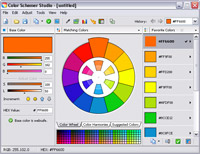 I am trying out ColorSchemer Studio on a 15-day trial at the moment and it seems to be a very useful little application.
At its simplest, the software makes allows you to choose a base color and devise color schemes around this, based on common color relationships. There's more to this software though and I particularly like the ability to see a mini-preview of a web page color scheme.
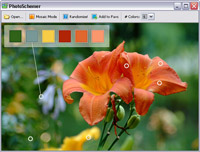
I also like the functionality where you can create a color scheme based on a photograph [below]. Very nice.
The ColorSchemer website allows you to create an account to view and share color schemes with other users. In fact, that's how I found about about the software. I saw one of Natalie Jost's color schemes on her Standards For Life website and clicked through.
ColorSchemer Studio is available for Windows and Mac. I think I'll be buying the software in a few days time....
Comments
20 Mar 2008 14:37:56
Thanks, once again, for the heads up here. The ability to build colour schemes pulled from colours in a photograph looks really interesting. I might just be looking into this one.
Comments are OFF for this post.